


The Most Basic and Probably the Best Design Tip Ever!
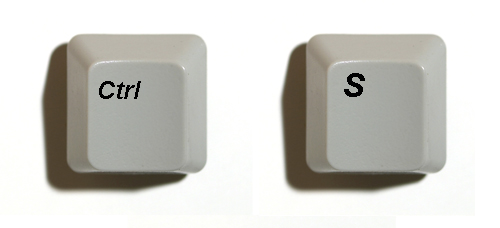
Without sounding like a broken record or stating the obvious, if there is one and only one design tip you will ever need as a professional designer, it has to be don’t forget to SAVE your work! Save it frequently and save it regularly.
Don’t laugh, as I can’t imagine the number of times I’ve seen people forget to save their work and suffer the consequences of it. Some of the other things you could do along this same defensive line of thought include:
1) Know and use that Ctrl + “S” on your keyboard! It is probably the universal short cut key for “save” in almost all Windows program. I think its “Apple” + “S” on the Mac, correct me if I am wrong? If your right hand is on your mouse your left should be on Ctrl + “S”. Get use to it, and make it second nature. I hit mine, almost unconsciously, every few minutes.
2) Set your program’s auto save to a timing you are comfortable with. I like mine to save every 5mins. The default is often 20mins. In a time crunch, I can’t even afford to lose 20mins of work.
3) Save your work incrementally. I like to do this as it gives me a reference point from my work from the past. Furthermore if I accidentally deleted a feature, I can always go back and cut/past it back into my current document.
4) Pick good file names. May it be reference numbers or dates, but do pick a system that is easy for you to follow, remember, as well as upkeep.
5) Keep a save log. With my more complex CAD design files, I keep a log book or diary to help me remember what I was doing at the time I made that particular save file. If you then convert your diary into a .txt file, it becomes good practice for the future as it makes it easy for other people that need to reference your files.
6) Finally backup your save files. Yep, I have a copy on CD-Rom and my portable hard drive. Your hard drive may crash or your computer die, or even your CAD program stalls and/or exits, such events occur more frequently than you can imagine. Murphy’s Law does exist, and it happens in threes so they tell me!
Munwar Khan
May 25, 2009 at 12:17 amyes agreed ctr+ S will save you !!
endsig
August 19, 2007 at 10:49 amHi DT,
will keep in touch, have been visiting your site for quite awhile, found it through core77, when you first started it up.
As well as clearly labeling & dating the CDs if they are being put in jewel cases, then i suggest that it would be a good idea to put in a slip of paper that says exactly what is on them.
-e-
Design Translator
August 19, 2007 at 7:13 amhi endsig,
thanks for your feedback and your great 6th point! I like to expand on that to say take a “screen capture” of the directory structure as well! Can you imaging loading up all the stack of CDs just to find the file you are looking for?
Please keep in touch?
endsig
August 17, 2007 at 9:06 amI really like the 5th point, never occurred to me to do that, thanks DT.
Also I would like to expand on the sixth point – Clearly label the backup CD/DVD’s and also file them away in a way is straight forward – saves so much time, especially when you at crunch time and stressed/freaking out cause you just lost a ton of work when your computer packed it in and your praying that its backed up.
– e –